
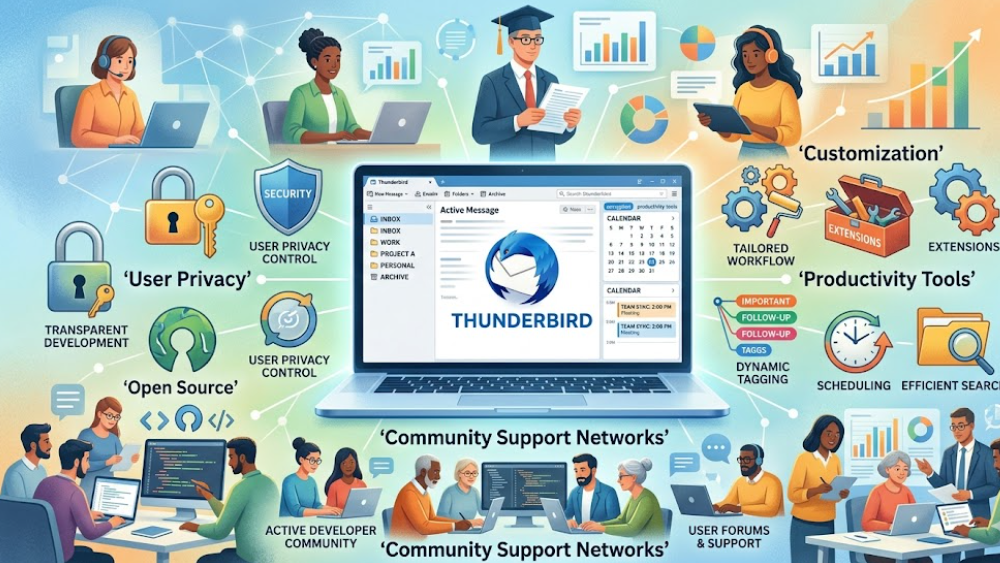
Thunderbird has established itself as a respected email platform because it combines functionality, customization, and user privacy within one reliable application. Many individuals and organizations choose the platform because it operates through open source development principles. This approach encourages transparency and allows independent contributors to improve security, performance, and reliability continuously.
Users often prefer communication platforms that respect personal privacy and minimize unnecessary tracking. Thunderbird addresses these concerns by offering a secure environment where users maintain greater control over their email experience. Since digital communication plays a major role in modern personal and professional life, dependable email management remains extremely important.
Another advantage involves compatibility with different email services and account providers. Thunderbird supports multiple accounts within one organized interface, allowing users to manage personal, educational, and professional communication efficiently. Instead of switching between separate applications, users can access messages from various services through one convenient dashboard.
Customization also contributes significantly to Thunderbird’s popularity. Users may install themes, extensions, and productivity tools according to their preferences. This flexibility allows individuals to personalize the platform while improving workflow efficiency. Businesses and advanced users especially appreciate the ability to tailor communication systems according to specific operational requirements.
The open source community surrounding Thunderbird additionally supports long-term innovation. Developers worldwide collaborate to improve features, identify vulnerabilities, and introduce updates responding to evolving communication needs. This collaborative environment strengthens user confidence while encouraging continuous technological improvement.
Advanced Security Features Protect Sensitive Personal Information Effectively
Digital communication frequently involves confidential discussions, financial information, academic records, and professional documents requiring strong security protection. Thunderbird provides multiple security features designed to safeguard user data against unauthorized access and online threats.
One important security advantage involves encryption support. Encrypted communication helps ensure that messages remain private during transmission between users. Many professionals handling confidential information depend upon secure email systems to maintain organizational standards and protect sensitive content.
Spam filtering technology also improves the overall user experience. Modern email users constantly encounter unwanted advertisements, suspicious links, and phishing attempts. Thunderbird includes filtering systems that help identify harmful messages before they reach primary inboxes. This protection reduces risks associated with fraudulent online communication.
Regular software updates further strengthen platform reliability. Cybersecurity threats continue evolving rapidly, requiring developers to respond quickly with security improvements and performance fixes. Thunderbird’s active development community helps maintain protective standards while supporting user trust.
Another valuable feature involves account management flexibility. Users may organize folders, archive conversations, and create customized filtering rules improving productivity and communication efficiency. Businesses managing large communication volumes especially benefit from structured email organization systems.
Educational institutions and nonprofit organizations also appreciate cost-effective communication solutions supporting security and accessibility. Thunderbird provides many advanced features without requiring expensive licensing costs, making it attractive for institutions operating within limited budgets.
Productivity Tools Simplify Daily Email Management Responsibilities Efficiently
Managing large volumes of email communication can become overwhelming without organized productivity systems. Thunderbird includes several features designed to help users maintain efficient workflows while reducing unnecessary distractions.
Message tagging and folder organization help users prioritize important communication. Professionals handling multiple projects often receive hundreds of emails weekly. Categorization tools allow users to identify urgent tasks, archive completed discussions, and maintain structured inbox management practices.
Integrated calendar and scheduling features also improve productivity. Coordinating meetings, deadlines, and collaborative projects becomes easier when communication tools connect with scheduling systems. Thunderbird supports smoother planning processes by keeping essential information within one accessible environment.
Search functionality remains another valuable advantage. Users frequently need quick access to older conversations, attachments, or reference materials. Thunderbird provides efficient search tools helping users locate information rapidly without manually reviewing extensive message histories.
Customization contributes further to workflow improvement. Users may adjust layouts, notification settings, and extension features according to their preferences. This adaptability creates a more comfortable communication environment supporting both casual users and advanced professionals.
Remote workers particularly benefit from organized communication systems. Hybrid workplaces often require continuous coordination across different locations and time zones. Thunderbird helps remote teams maintain reliable communication practices while simplifying email management responsibilities.
Community Support Networks Continue Expanding Platform Development Opportunities Today
One of Thunderbird’s strongest advantages involves its active and supportive user community. Open source projects often benefit from collaboration between developers, educators, businesses, and technology enthusiasts who contribute ideas and improvements.
Community forums provide valuable assistance for users experiencing technical challenges or seeking productivity recommendations. New users can quickly learn platform features through shared tutorials, documentation, and discussion groups created by experienced community members.
Developers also contribute extensions expanding Thunderbird’s capabilities. Additional tools supporting task management, security, accessibility, and workflow automation allow users to customize the platform according to changing needs. This flexibility keeps Thunderbird competitive within evolving communication environments.
Educational organizations frequently use community-supported platforms because they encourage learning and experimentation. Students studying software development or cybersecurity may explore open source systems to better understand communication technologies and collaborative programming practices.
Long-term sustainability remains another important benefit of community-driven software development. Since contributors continuously improve Thunderbird, users often feel more confident regarding future platform support and innovation. The collaborative nature of open source technology encourages resilience and adaptability.
As digital communication continues evolving, Thunderbird remains relevant because it balances privacy, productivity, customization, and accessibility effectively. Its supportive community and consistent development efforts ensure ongoing improvements benefiting users across many different industries and personal communication environments.
You may like: RoboForm Password Management
Source: https://www.thunderbird.net/en-US/