
In today’s hyper-connected digital landscape, the average internet user maintains dozens, if not hundreds, of online accounts. From online banking and social media to streaming platforms and work portals, each service demands a secure entry point. For years, cybersecurity experts have issued the same golden rule: use unique, complex passwords for every single account. However, remembering a string of random characters, numbers, and symbols for every website is practically impossible for the human brain.
This dilemma often leads to dangerous digital habits, such as reusing the same password across multiple platforms or relying on easily guessable variations. If a single database is breached, malicious actors can use those recycled credentials to compromise all your other accounts. This is where password managers become essential.
Among the pioneers and most reliable names in this space is RoboForm. Launched in 1999 by Siber Systems, RoboForm started as one of the very first automated web-form fillers and has evolved into a robust, secure, and cross-platform password management solution.
What is RoboForm?
RoboForm is a secure identity and password management application designed to alleviate the burden of remembering credentials. It functions by creating an encrypted digital vault where users can store passwords, login credentials, credit card details, addresses, and confidential notes. Instead of memorizing hundreds of different logins, you only need to remember one single master password to unlock your entire digital identity.
Available as a desktop application, a mobile app, and a browser extension, RoboForm integrates seamlessly into your daily web browsing routine, automatically capturing new logins and filling out complex forms with a single click.
Core Features of RoboForm
RoboForm’s longevity in the cybersecurity market can be attributed to its continuous adaptation and strong feature set. Below are the key components that make it a standout choice for both casual users and businesses.
1. Advanced Password Generation
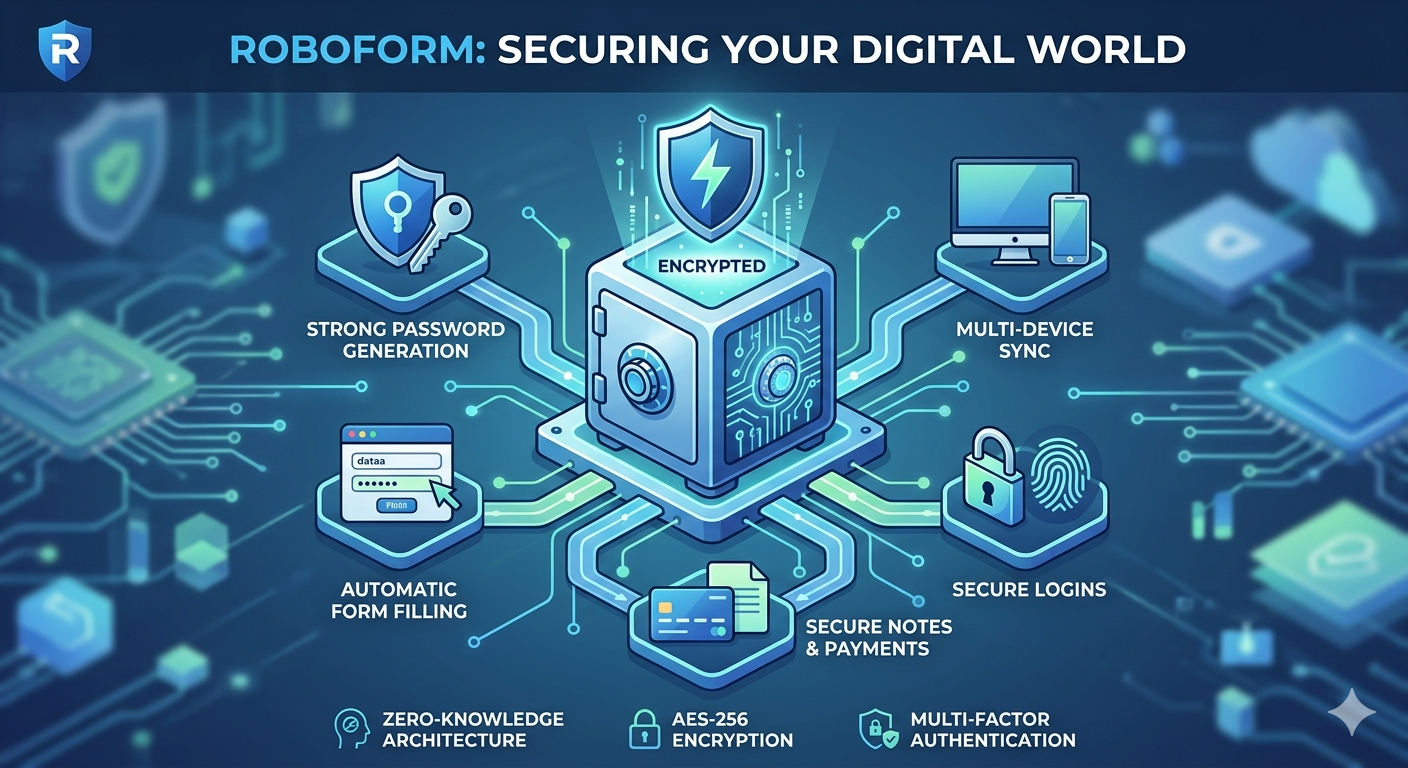
When creating a new online account, many users struggle to think of a secure password. RoboForm features a built-in random password generator. Users can customize the length of the password and choose whether to include uppercase letters, lowercase letters, numbers, and special symbols. This ensures that every new account you create is protected by a cryptographically strong, unguessable key.
2. One-Click Logins and Form Filling
True to its roots as a form filler, RoboForm excels at automation. When you navigate to a website where you have an account, RoboForm automatically detects the login fields and offers to populate them. Beyond simple usernames and passwords, RoboForm allows you to create “Identities.” An Identity can include your full name, billing address, shipping address, phone number, and credit card information. When shopping online or signing up for a new service, RoboForm can fill out these extensive forms instantly, saving time and reducing typing errors.
3. Cross-Platform Synchronization
In the modern world, we constantly switch between devices—using a laptop at work, a smartphone on the go, and a tablet at home. RoboForm offers cloud-based synchronization, meaning any password saved on your desktop browser extension will instantly be available on your mobile device. It supports all major operating systems (Windows, macOS, Linux, iOS, Android) and integrates with popular browsers like Google Chrome, Mozilla Firefox, Microsoft Edge, Safari, and Brave.
4. Secure Notes and Bookmarks
RoboForm is more than just a password vault. It includes a “Safenotes” feature, allowing you to store sensitive text-based information securely. This is ideal for saving software license keys, Wi-Fi passwords, alarm codes, or passport details. Additionally, RoboForm functions as an encrypted bookmark manager, allowing you to save your favorite websites and launch them securely from any device.
5. Emergency Access and Secure Sharing
What happens to your digital assets if you lose access to your account or face an unexpected emergency? RoboForm’s Emergency Access feature allows you to designate a trusted contact (like a family member or close friend) who can request access to your vault in the event of an emergency. Furthermore, if you need to share a streaming service login with a family member or a corporate account with a colleague, RoboForm lets you securely share individual logins or entire folders without revealing the actual password in plain text.
Robust Security and Encryption
The primary concern when choosing a password manager is security. Users need to know that putting “all their eggs in one basket” is safe. RoboForm employs industry-standard security protocols to guarantee data integrity.
- AES-256 Encryption: RoboForm secures your data using Advanced Encryption Standard (AES) with a 256-bit key. This is the same military-grade encryption used by governments and financial institutions worldwide to protect top-secret data.
- Zero-Knowledge Architecture: RoboForm operates on a strict zero-knowledge model. Your master password is never stored on RoboForm’s servers, nor is it ever transmitted over the internet. Your data is encrypted and decrypted locally on your device. This means that even if RoboForm’s servers were theoretically breached, hackers would only see useless, scrambled data. It also means that RoboForm support cannot recover your master password if you forget it—making it vital to keep your master password safe.
- Two-Factor Authentication (2FA): To add an extra layer of defense, RoboForm supports Two-Factor Authentication. Even if someone manages to guess or steal your master password, they cannot access your vault without a second verification step, such as an SMS code or a token from an authenticator app (like Google Authenticator or Authy).
RoboForm for Business
While RoboForm is incredibly popular among individual users, it also offers powerful enterprise solutions. Managing employee passwords is a significant challenge for IT departments. Weak passwords used by employees are one of the leading causes of corporate data breaches.
RoboForm for Business provides an administrative console that allows IT managers to deploy the software across the entire organization. Administrators can enforce strict master password policies, monitor password health across the company, restrict access based on IP addresses, and seamlessly onboard or offboard employees. It bridges the gap between convenient employee access and rigorous corporate compliance.
Conclusion
In an era where cyber threats are becoming increasingly sophisticated, relying on memory or insecure methods like writing passwords in a notebook is no longer viable. RoboForm Password Manager offers a perfect balance of ironclad security and effortless convenience. By taking over the responsibility of generating, remembering, and filling in credentials, it protects your digital footprint while streamlining your daily online experience. Whether you are looking to secure your personal data or safeguard an entire enterprise, RoboForm remains a trusted and time-tested ally in the world of cybersecurity.
Source:RoboForm Password Manager | Best Password Manager for 2026