
In today’s digital world, people manage dozens of online accounts, from email and social media to banking, shopping, and professional services. Each account requires a password, and remembering multiple strong and unique passwords can become difficult. Many users solve this problem by reusing simple passwords, which creates security risks. RoboForm is designed to solve this challenge by acting as a secure digital assistant that manages passwords, protects sensitive information, and simplifies everyday online activities.
RoboForm is a comprehensive password manager and form-filling solution that works like a personal security robot for your digital identity. It stores important information inside an encrypted vault, automatically fills login details, creates strong passwords, and helps users maintain better security practices. Instead of remembering dozens of passwords, users only need to remember one master password that unlocks their RoboForm vault.
Secure Password Vault: Protecting Your Digital Information
The foundation of RoboForm is its secure password vault. This encrypted storage system keeps usernames, passwords, personal details, notes, and other sensitive information protected. Instead of saving passwords in browsers or writing them down in unsafe locations, users can store everything securely in one centralized place.
The vault is designed to protect information through encryption, meaning stored data is converted into a protected format that unauthorized users cannot easily access. This allows users to keep their digital credentials organized while reducing the risk of password theft.
One-Click Logins: Making Access Faster and Easier
One of RoboForm’s most useful features is one-click login. When users visit a website or application, RoboForm can automatically recognize the saved account information and fill in the required login details. This removes the need to manually type usernames and passwords every time.
For example, instead of searching for a forgotten password or repeatedly entering credentials, a user can simply select the saved login and access the account instantly. This feature improves convenience while encouraging users to use stronger, unique passwords for every website.
Form Filler: Simplifying Online Forms
Filling out online forms can be time-consuming, especially when entering the same information repeatedly. RoboForm includes a form-filling feature that automatically completes registration forms, shipping details, billing information, and other frequently used data.
The form filler works like a digital assistant that remembers important details and enters them when needed. This saves time during online shopping, account creation, and service registrations. Users can complete complicated forms quickly without repeatedly typing personal information.
Strong Password Generator: Creating Better Security
Weak passwords are one of the most common causes of online security problems. RoboForm includes a strong password generator that creates complex and unique passwords for new accounts.
The generator can create passwords with combinations of letters, numbers, and special characters, making them much harder to guess. Since RoboForm stores these passwords securely, users do not need to memorize complicated combinations. This encourages safer password habits and reduces dependence on simple or repeated passwords.
Cross-Device Sync: Access Anywhere, Anytime
Modern users often switch between multiple devices, including computers, smartphones, tablets, and web browsers. RoboForm supports cross-device synchronization, allowing users to access their saved passwords and information across different platforms.
Whether someone is using Windows, macOS, iOS, Android, or a supported browser, RoboForm keeps their information available when needed. This makes managing digital accounts easier for people who work, study, or browse online using multiple devices.
Multi-Factor Authentication: An Extra Security Layer
To provide additional protection, RoboForm supports multi-factor authentication (2FA). This security method requires users to confirm their identity using an additional verification step beyond the master password.
For example, after entering the master password, a user may need a verification code from another device or authentication method. This extra layer helps prevent unauthorized access even if someone discovers the password.
Secure Sharing: Sharing Without Losing Control
Sometimes users need to share access to certain accounts with trusted family members, colleagues, or partners. RoboForm includes secure sharing features that allow users to share specific login information safely.
Instead of sending passwords through unsafe messages or emails, users can share access through RoboForm’s secure system. This helps maintain control over sensitive information while allowing collaboration when necessary.
Password Health Monitoring: Improving Security Awareness
RoboForm also helps users maintain strong security habits through password health monitoring. The system can identify weak, reused, or potentially compromised passwords and alert users about possible risks.
This feature allows users to review their password habits and make improvements. By replacing outdated or repeated passwords, users can strengthen their overall online security.
Visualizing RoboForm as a Digital Security Robot
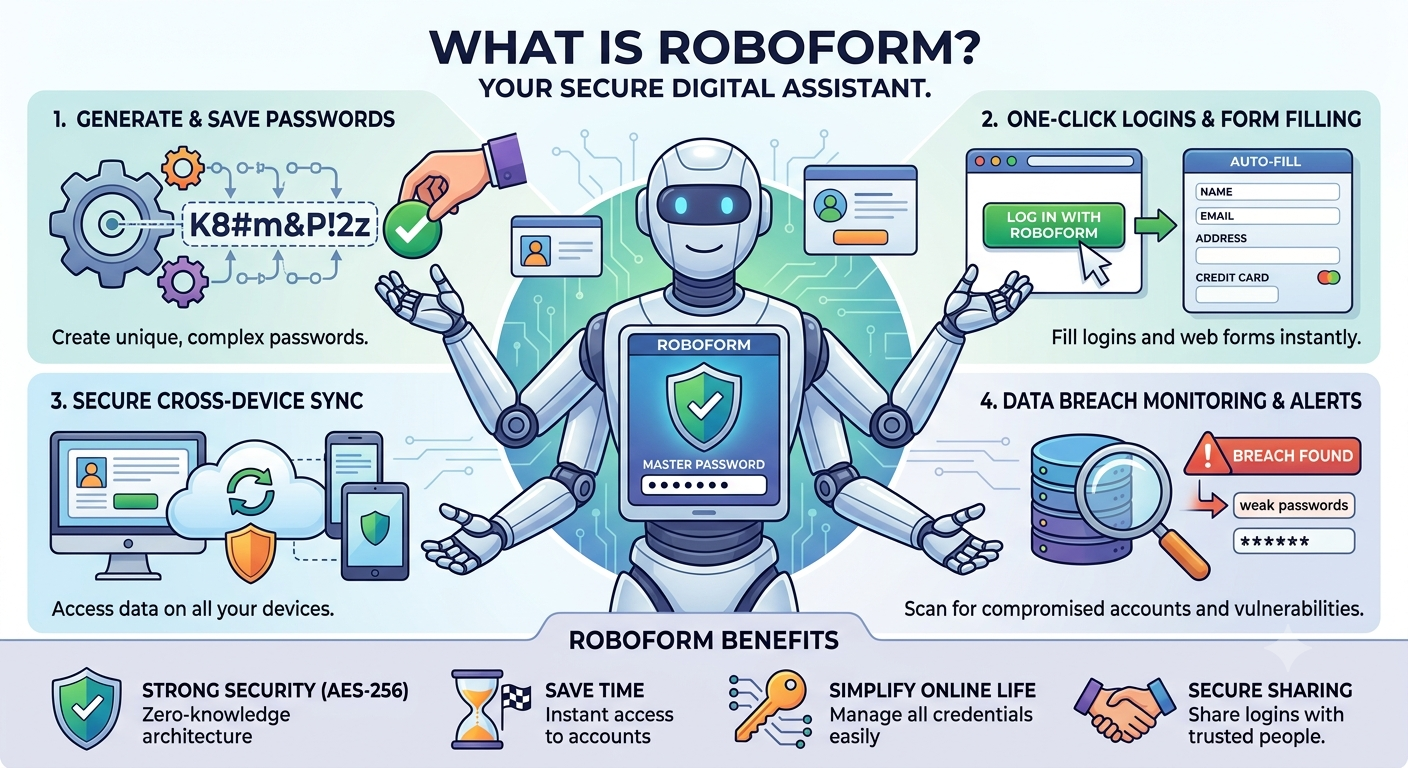
To understand RoboForm’s role, imagine a smart digital robot assistant managing your entire online identity. This virtual assistant stands between you and the complex world of passwords, forms, and security threats.
The RoboForm robot carries a secure digital vault where all passwords and personal information are stored safely. Its advanced system can generate powerful new passwords, remember login details, and automatically complete online forms. It connects across computers, smartphones, and tablets, ensuring that your digital information follows you wherever you go.
The robot also acts as a security guard by monitoring password strength, detecting possible risks, and providing alerts when improvements are needed. With multi-factor authentication and encrypted storage, it protects your digital identity from unauthorized access.
Conclusion
RoboForm is more than just a password manager; it is a complete digital assistant designed to make online life safer and easier. By securely storing passwords, generating strong credentials, filling forms automatically, syncing across devices, and monitoring password health, RoboForm helps users manage their digital identities efficiently.
In a world where online security is becoming increasingly important, tools like RoboForm provide a practical way to balance convenience and protection. Like a trusted digital robot, it handles the complicated work of password management while allowing users to focus on using the internet with greater confidence and security.
Also Read: Unleash the Power of a Secure & Open Internet: The Definitive Guide to ExpressVPN Benefits
Source: RoboForm Password Manager | Best Password Manager for 2026