
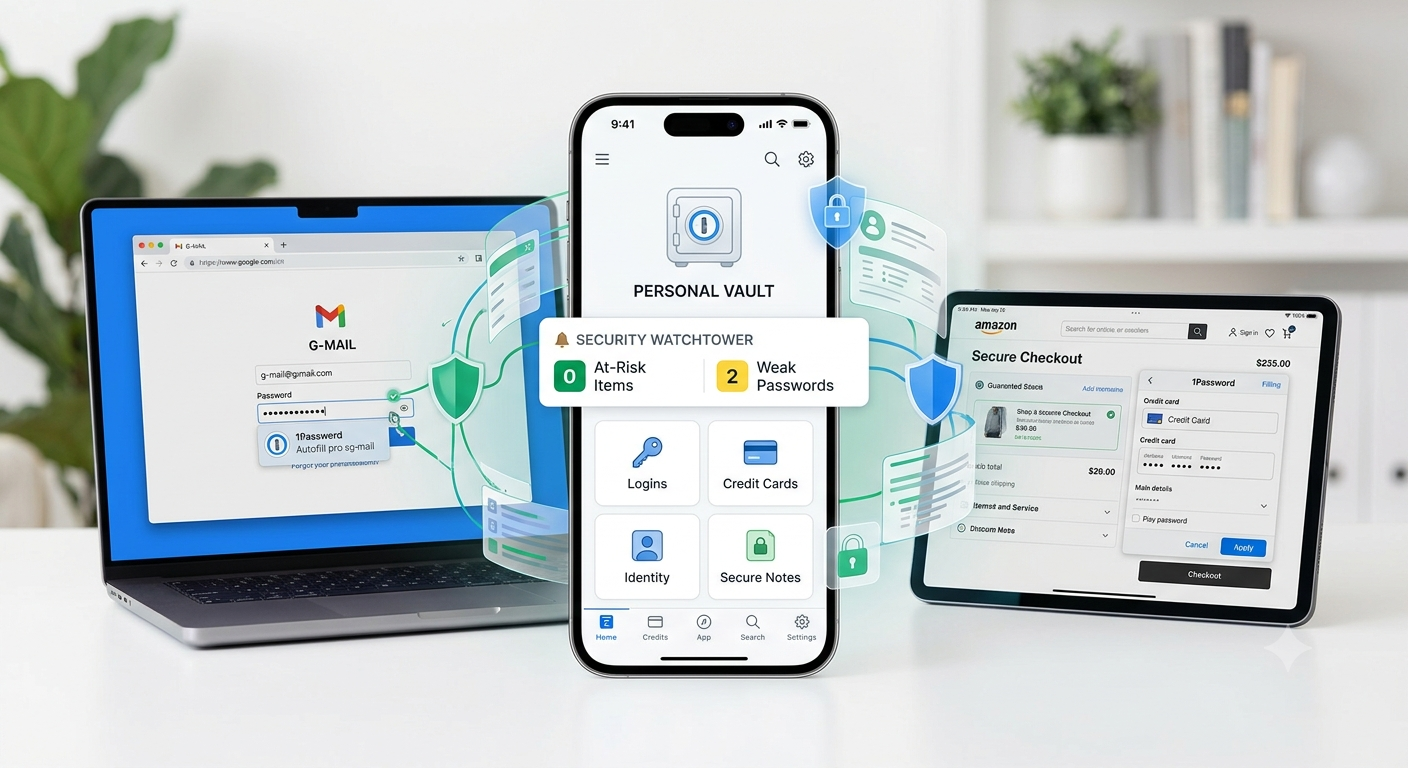
In an era where the average internet user maintains dozens, if not hundreds, of digital accounts, managing passwords has evolved from a minor inconvenience into a critical security challenge. Reusing passwords or relying on easily guessable variations creates massive vulnerabilities, as a single data breach at one website can grant hackers access to your entire digital identity.
This is the problem 1Password is designed to solve. It acts as a highly secure, centralized digital vault that stores, generates, and autofills credentials, ensuring that you can maintain robust cybersecurity without the cognitive burden of memorizing complex strings of characters.
What is 1Password?
1Password is a premium password management and digital wallet solution available across major platforms, including iOS, Android, macOS, Windows, Linux, and popular web browsers. Rather than forcing you to remember unique passwords for every service you use, 1Password consolidates them behind a single Master Password.
When you log into a website or app, 1Password dynamically inputs your credentials for you. Beyond basic usernames and passwords, it functions as a comprehensive secure organizer for your most sensitive personal data.
Core Vault Categories
- Logins: Your standard web and app credentials, including support for modern Passkeys (cryptographic keys that replace traditional passwords entirely).
- Secure Notes: Encrypted text entries where you can safely store software license keys, Wi-Fi passwords, alarm codes, or private medical histories.
- Credit Cards & Bank Accounts: Digital profiles containing card numbers, expiration dates, CVVs, and routing numbers, allowing for secure online shopping without pulling out physical cards.
- Identities: Profiles with your full name, address, phone number, and email to streamline the process of filling out lengthy checkout or registration forms online.
- Documents: Digital copies of sensitive files, such as scanned passports, driver’s licenses, or birth certificates, stored with the same level of encryption as your passwords.
Key Features and Daily Functionality
1Password integrates smoothly into daily digital routines by taking over the mechanics of authentication. Here is a breakdown of the primary tools that make it effective:
1. Advanced Password Generation
When creating a new account or updating an old one, 1Password prevents you from using weak choices like “Password123” or your pet’s name. Its built-in generator creates random strings that are virtually impossible to guess. You can customize these based on the website’s specific requirements, such as altering length, including numbers, or adding special symbols. Alternatively, it can generate memorable but secure “passphrases” made of several random words strung together.
2. Seamless Autofill
Using browser extensions or mobile accessibility integrations, 1Password detects when you are on a login screen. With a quick biometric scan (such as Face ID, Touch ID, or Windows Hello) or by entering your Master Password, it instantly fills in your credentials. This feature also serves as a brilliant defense against phishing attacks: if you accidentally click a link to a fake, malicious lookalike website, 1Password will recognize that the domain name does not match the stored entry and refuse to autofill your data.
3. Watchtower: Your Security Dashboard
Watchtower is an administrative hub within the app that constantly evaluates the health of your vault without compromising your privacy. It flags specific vulnerabilities so you can take action:
- Compromised Passwords: Cross-references your logins with databases of known data breaches (such as Have I Been Pwned) to alert you if a password has been leaked publicly.
- Weak and Reused Passwords: Identifies logins that are too simple or used across multiple sites, prompting you to replace them.
- Unsecured Websites: Highlights accounts using unencrypted HTTP protocols rather than secure HTTPS.
- Two-Factor Authentication (2FA) Opportunities: Points out websites you use that support 2FA but do not currently have it active in your vault.
4. Integrated Two-Factor Authentication (2FA)
Many modern websites require a secondary verification code alongside your password. 1Password can completely replace standalone authenticator apps (like Google Authenticator). It scans the setup QR code, stores the secret token, and generates the rotating six-digit Time-Based One-Time Password (TOTP) directly inside the item entry. When you log in, it automatically copies this code to your clipboard or autofills it, cutting out the friction of switching between multiple apps.
The Zero-Knowledge Security Model
The most critical aspect of any password manager is how it protects your data from external attacks and internal rogue actors. 1Password is engineered under a strict Zero-Knowledge architecture. This means that 1Password as a company has absolutely no way to view, access, modify, or sell the data stored within your vault. Your information is encrypted locally on your device before it is ever synchronized to the cloud.
If law enforcement subpoenas 1Password, or if their cloud servers are completely compromised by cybercriminals, the data obtained is nothing more than unreadable digital gibberish.
The Dual-Layer Protection System
Most basic cloud storage systems rely entirely on your account password to encrypt your data. 1Password utilizes an exceptionally more robust framework by combining two distinct elements to form your encryption key:
- Your Master Password: The memorable password you create during registration. This is never stored on 1Password’s servers or transmitted across the internet.
- The Secret Key: A completely random, locally generated 128-bit string (looking like a long string of letters and numbers separated by dashes) created on your device during account setup. You are prompted to download this as an “Emergency Kit” PDF.
The master encryption key used to decrypt your actual vault data is mathematically derived from both of these elements. This process utilizes a Key Derivation Function (KDF) like Argon2id or PBKDF2, which deliberately slows down the computation process to neutralize “brute-force” attacks (where hacker computers try billions of password combinations per second).
Mathematically, this relationship can be viewed as:
$$K = \text{KDF}(\text{Master Password}, \text{Secret Key} \cdot \text{Salt})$$
Where:
- $K$ is the resulting master encryption key that unlocks the vault.
- $\text{KDF}$ is the key derivation function that mathematically stretches the inputs.
- $\text{Salt}$ is a unique, random string of data added to the process to guarantee that identical passwords across different users result in completely different encryption keys.
Because a hacker would need both your personal Master Password and the unique 128-bit Secret Key physically saved on your device, online attacks against 1Password vaults are practically impossible. Even if an attacker uses a supercomputer to guess millions of Master Passwords, they cannot make a single attempt without also knowing the Secret Key.
Families and Teams: Secure Collaborative Sharing
While individual security is vital, modern digital lives often require sharing access. Passing login details via text message, Slack, or email introduces massive security loopholes. 1Password handles this via shared vaults.
With a Family or Business plan, administrators can create specific vaults dedicated to shared resources—such as a streaming service login for the home, or corporate software licenses for a specific department at work. Members can be granted different levels of access, such as “Read Only” or “Allow Editing.” When a password is updated by one person, it updates instantly for everyone else sharing that vault, maintaining seamless, secure collaboration.
Final Thoughts: The Core Trade-Off
Implementing 1Password represents a fundamental shift in how you interact with the digital world. It trading a minor amount of initial setup time for an immense upgrade in digital safety and peace of mind. By automating your credentials, minimizing your vulnerability to data breaches, and ensuring your data remains exclusively yours through zero-knowledge encryption, it serves as an indispensable tool for modern internet privacy.
Also Read:Managing Your Digital Life: A Comprehensive Guide to RoboForm Password Manager – My Tech Blaze
Source:Password Manager for Enterprises and Teams | Secure Password Vault for Business Password Management